Over time, a dusty or smudged PlayStation 2 laser lens can cause discs to skip, fail to load, or eject. Proper cleaning can restore reliability without risking hardware damage. This guide explains safe, practical steps to clean a PS2 laser using commonly available tools and materials.
Quick Answer
Gently clean the laser lens with a dedicated PS2 laser lens cleaning kit or a microfiber cloth lightly dampened with isopropyl alcohol. Use a cleaning disc designed for PS2 laser lenses if you prefer a disc-based approach. Avoid harsh solvents and never spray cleaner directly onto the drive.
What You’ll Need
- PS2 laser lens cleaning kit
- PlayStation 2 laser lens cleaning disc
- PS2 CD/DVD drive lens cleaner kit
- Isopropyl alcohol lens cleaner for PS2
- Microfiber cloth PS2 laser lens cleaning
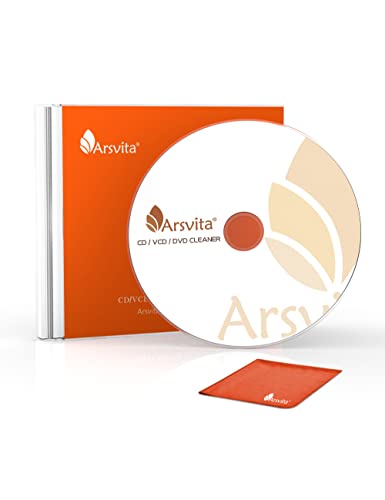

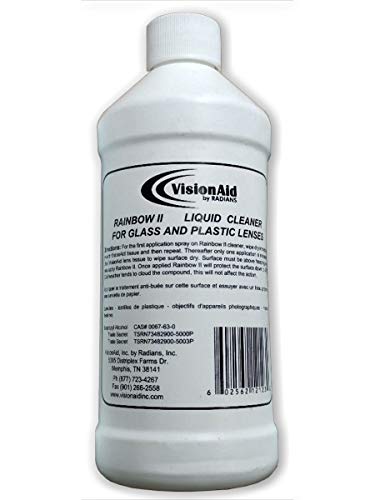
Before You Start
Power down and unplug the PS2 before beginning. Work in a clean, dust-free area and avoid forcing any parts. If the console is warm, let it cool for a few minutes. Disconnect the power and avoid touching any exposed circuitry. Cleaning is best done on a flat, stable surface. Estimate 15–30 minutes for a careful cleaning session, depending on the chosen method.
Step-By-Step: How To Clean PS2 Laser Lens
- Open the PS2 case and locate the disc drive. Refer to the manual for your specific model to access the lens area safely.
- Remove any loose dust around the lens with a dry microfiber cloth. This reduces debris that could abrade the lens during cleaning.
- If using a cleaning kit, follow the kit’s included instructions. Apply the cleaning solution to the included pad or brush, not directly to the laser or PCB.
- Gently brush or wipe the lens surface in small, circular motions. Avoid pressing hard; let the pad do the work with a light touch.
- If using an isopropyl alcohol lens cleaner, lightly dampen a microfiber cloth and wipe the lens once. Do not soak the lens or apply liquid directly to the drive.
- For disc-based cleaning, insert the PS2 laser lens cleaning disc and run a full cleaning cycle as directed by the disc’s instructions. Stop if you hear grinding or unusual noises.
- Reassemble the console only after the lens is completely dry. Replace any covers and ensure cables are firmly reconnected.
- Power up the PS2 and test with a known-good disc. Listen for smooth loading and steady playback. If issues persist, recheck alignment or consider professional service.
- For stubborn grime or foggy lenses, repeat the cleaning process once more, ensuring no excess liquid remains on the lens area.
- After successful cleaning, store tools in a dry place and keep the lens area free of fingerprints and dust.
Troubleshooting
| Symptom | Likely Cause | Fix | Prevention |
|---|---|---|---|
| Disc spins but won’t read | Dirty or obscured lens | Clean lens with kit or isopropyl-based cleaner per directions | Regular dust-free storage; avoid touching the lens |
| No disc loading or ejects immediately | Dust buildup on drive optics | Clean with cleaning disc or kit | Keep area clean; use a dust cover when not in use |
| Intermittent read with certain discs | Disc surface smudges | Clean disc surfaces with a microfiber cloth | Handle discs by edges; store in cases |
| Unusual noises during cleaning | Misalignment or foreign object | Power off and inspect; remove debris if present | Follow kit instructions exactly; avoid forcing components |
Common Mistakes
- Using harsh solvents or spraying liquid onto the drive
- Applying excessive pressure on the lens
- Using a dirty or abrasive cleaning pad
- Reassembling the unit before the lens is fully dry
- Ignoring signs of hardware wear or misalignment
Tips For Best Results
- Choose a reputable PS2 laser lens cleaning kit designed for your model family to maximize compatibility.
- Test with multiple discs to confirm consistent reading across media types.
- Keep alcohol concentration appropriate (typical isopropyl 70% or higher is common for cleaning pads) and never soak components.
- Clean the area around the lens before attempting to clean the lens itself to reduce debris movement.
- When in doubt, perform a second light cleaning run rather than a single aggressive pass.
Call A Professional
Stop and seek professional help if the PS2 exhibits persistent read failures after multiple cleanings, if there are signs of internal damage, or if the console makes grinding or grinding-like noises. Electrical smells, significant overheating, or loose components should be handled by a trained technician.
FAQ
Can I use household cleaners to clean the PS2 lens?
Usually not; household cleaners can leave residues that may damage optics. Use a purpose-built PS2 lens cleaning kit or isopropyl alcohol with a microfiber cloth.
Will cleaning the lens void my warranty?
Cleaning the lens generally does not void a warranty, but opening the case might. Consult the warranty terms and a professional if the console is under coverage.
How often should I clean the PS2 laser?
Cleaning once every few months or when discs start skipping or failing to load is reasonable, especially if the console is used frequently.
Is it safe to use a cleaning disc on all PS2 models?
Cleaning discs are compatible with most PS2 models, but always check the disc’s instructions and model compatibility before use.
Buying Guide
When choosing cleaning tools for the PS2 laser, consider size, noise level, energy efficiency, controls, and placement. For lenses, a dedicated PS2 laser lens cleaning kit or a PS2 CD/DVD drive lens cleaner kit provides precise, safe solutions. A microfiber cloth paired with a mild isopropyl alcohol cleaner offers a flexible approach, but avoid direct liquid contact with the drive. If space is limited, a compact cleaning disc can sit neatly on a shelf; for frequent users, a kit with reusable pads saves time and material costs. Evaluate compatibility with your PS2 model family and select a cleaning method that minimizes risk while delivering reliable disc reading performance. Regular maintenance can extend the life of the laser and reduce loading issues, making a clean, quiet console more enjoyable to use. Would you like help selecting a kit that matches your exact PS2 model and usage pattern?