Maintaining a clean Peloton screen helps ensure clear visibility during workouts and protects the display from smudges and residue. This guide provides a practical, safe method to clean the touchscreen without risking damage to sensitive electronics.
Readers will find a concise quick answer, a complete list of tools, step-by-step instructions, troubleshooting tips, and a buying guide to choose the right cleaning supplies for screens used with Peloton devices and other electronics.
Quick Answer
Use a dedicated electronics-safe cleaning kit or microfiber cloth with a light spray specifically labeled for screens. Avoid running fluids directly on the screen; apply product to a cloth first and wipe gently with small circular motions.
What You’ll Need
- Microfiber cleaning cloth for electronics 12×12 inches
- 70% isopropyl alcohol screen wipes electronics safe
- Electronics screen cleaning spray anti-static 8 oz
- Screen cleaning kit microfiber cloth spray for tablets and TVs
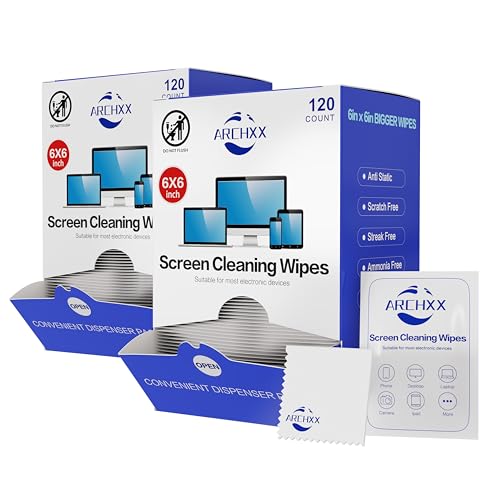
- Pre-moistened screen wipes electronics safe 6 pack


Before You Start
Turn off the Peloton and disconnect from power before cleaning. Use a clean, lint-free microfiber cloth to avoid scratching the display. Work in a well-lit area to detect smudges and avoid applying too much moisture. Do not spray liquids directly onto the screen; excessive moisture can seep into edges and cause damage. Allow the screen to air-dry completely before powering the device back on.
Time estimate: 5–10 minutes. If the screen has stubborn residues, repeat per-step cautiously. For sensitive devices or if warranty coverage is a concern, consult Peloton support for guidance.
Step-By-Step: How To Clean A Peloton Screen
- Power off the Peloton and unplug it from the wall to prevent any electrical issue.
- Gently dust the screen with a dry microfiber cloth to remove loose particles.
- Apply a small amount of electronics-safe spray to the cloth, not directly onto the screen.
- Wipe the screen with light, even strokes in a circular or vertical pattern from edge to edge.
- For stubborn smudges, reapply a tiny amount of cleaner to a fresh area of the cloth and repeat.
- Wipe along the bezel to remove fingerprints without applying pressure to the display panel.
- After cleaning, use a dry portion of the microfiber cloth to remove any remaining moisture.
- Let the screen air-dry for a few minutes before turning the Peloton back on.
- If you use alcohol wipes, verify they are labeled electronics-safe and are not overly saturated.
- Inspect the screen for streaks; if present, use a clean cloth and repeat once.
- Store cleaning supplies in a cool, dry place away from direct sunlight to preserve cloth fibers and liquids.
Troubleshooting
| Symptom | Likely Cause | Fix | Prevention |
|---|---|---|---|
| Streaks after cleaning | Over-wetting or dirty cloth | Use less liquid and switch to a fresh microfiber cloth | Use a dries-only wipe for final pass |
| Fuzzy residue on screen | Cloth fibers shedding | Switch to a new microfiber cloth and dry wipe | Wash cloths separately; avoid fabric softeners |
| Discoloration or screen haze | Harsh cleaner or alcohol overuse | Switch to electronics-safe spray and dilute use | Follow product labels and manufacturer guidelines |
| Moisture seeping into edges | Direct liquid contact | Never spray directly; apply to cloth only | Keep a steady, light hand during cleaning |
Common Mistakes
- Spraying cleaners directly onto the screen
- Using household cleaners or abrasives
- Applying excessive moisture near edges or ports
- Rubbing hard or using rough cloths that scratch the surface
Sticking to electronics-safe products helps preserve screen clarity and prolongs device life. Always prioritize a light touch and a clean, dry cloth for best results.
Tips For Best Results
- Test cleaners on a small, inconspicuous area first to confirm compatibility.
- Use a two-cloth approach: one for initial cleaning and a second for the final dry wipe.
- Keep cleaning sessions brief to avoid moisture seeping into seams.
- Regular quick wipes prevent heavy buildup and reduce cleaning time.
- Store products away from heat sources to maintain effectiveness and safety.
Call A Professional
Seek professional help if the Peloton screen shows cracks, persistent liquid intrusion, discoloration that affects visibility, or unresponsive touch after a cleaning attempt. Do not attempt to disassemble the screen or apply aggressive solvents yourself, as this may void warranties and cause further damage.
FAQ
Can I use a household spray to clean the Peloton screen?
Avoid household cleaners; choose electronics-safe products formulated for screens to prevent damage.
Is it safe to use isopropyl alcohol on the Peloton screen?
Only use 70% isopropyl alcohol if labeled electronics-safe and follow application guidelines to prevent moisture damage.
How often should I clean the Peloton screen?
Light, quick cleanings weekly are fine; perform a thorough cleaning monthly or as smudges accumulate.
What should I do if the screen shows streaks after cleaning?
Switch to a fresh microfiber cloth, reduce liquid amount, and wipe with light, even strokes until streaks disappear.
Are pre-moistened wipes safe for Peloton screens?
Yes, if they are electronics-safe and labeled appropriate for screens; use them according to package directions.
Can I clean the screen while it is still plugged in?
Turn the device off and unplug before cleaning to minimize electrical risk and avoid damage.
What if moisture seeps into the frame?
Allow time for air drying and avoid forcing moisture into seams; if seepage occurs, contact support.
Buying Guide
Choosing the right screen cleaning products involves considering size, compatibility, and convenience. When selecting cleaners for a Peloton screen, look for electronics-safe formulations and non-abrasive materials. Consider the following factors:
- <bSize and packaging: Compact kits or larger sprays that fit your cleaning routine and storage space.
- <bNoise level: Cleaning typically does not affect device noise, but quiet, non-spray misters and wipes reduce risk of misting nearby components.
- <bEnergy efficiency: Not directly related to cleaning, but choosing reusable cloths and sprays reduces waste and costs over time.
- <bControls: Simple spray-to-cloth application minimizes errors and makes cleaning quick during quick-glance maintenance.
- <bPlacement: Store in a cool, dry place away from sunlight; keep out of reach of children and pets.
Compare kits by the balance of cloth quality, non-streaking performance, and the presence of anti-static properties. If a kit includes microfiber cloths, sprays labeled for electronics, and compatible wipes, it is typically a well-rounded choice for Peloton screens and similar devices.