Earphones, in-ear monitors (IEMs), and their accessories collect earwax, dust, and oils over time. Regular cleaning helps preserve sound quality, extend the life of the drivers, and prevent ear infections. This guide presents a step-by-step method using common tools and a dedicated IEM cleaning kit to ensure safe, effective cleaning for American users.
Quick Answer
Gently remove IEM tips and housings, wipe with a microfiber cloth, use alcohol wipes sparingly on non-electronic surfaces, and avoid moisture inside the sonic chamber. Use an IEM cleaning kit for routine maintenance and keep a dedicated earbud cleaning tool set on hand for precision work.
What You’ll Need
These tools cover routine cleaning and deeper maintenance. Gather them before starting to keep the process smooth and safe.
- IEM cleaning kit
- earbud cleaning tool set
- earphone cleaning brush set
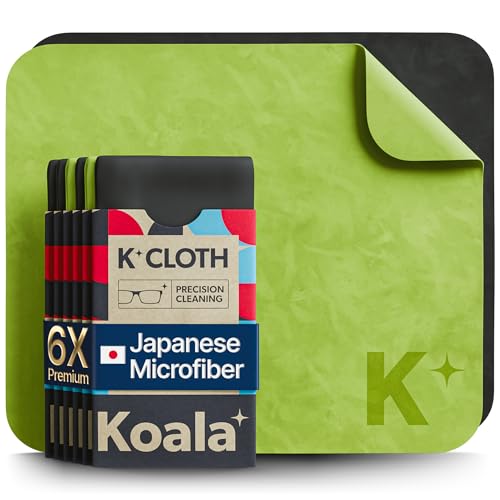
- microfiber cloth for headphones
- 70% isopropyl alcohol wipes electronics


Before You Start
Before cleaning, power off all devices and detach any removable parts, such as silicone or foam tips. Inspect the IEM for any loose or damaged components; do not use force to remove stubborn debris. Work in a well-lit area and lay down a clean, lint-free surface. Time estimate: 10 to 20 minutes for a standard clean, longer for a deep clean. Safety note: avoid letting liquid seep into the shell or wiring, which can cause corrosion or short circuits.
Step-By-Step: How To Clean IEMs
- Remove ear tips if present and set them aside for separate cleaning. Soapy water or alcohol wipes can be used for tips, depending on material.
- Gently brush the nozzle and exposed openings with a earphone cleaning brush set to remove loose debris. Use short, careful strokes.
- Wipe the exterior of the housing with a microfiber cloth for headphones, dampened lightly with isopropyl alcohol wipes if needed. Do not allow liquid to enter the openings.
- For stubborn residue, use a earbud cleaning tool set designed for precision, such as a soft pick or microfiber-tipped wand. Work slowly to avoid damage.
- Clean the ear tips separately per their material. Silicone tips can be washed with mild soap and water; foam tips should be replaced if degraded. Dry completely before reattachment.
- Reattach tips and re-seat the IEMs in your ears to test for proper fit and seal. If you hear leakage or distortion, re-check the nozzle and tips for remaining debris.
- To finish, wipe the outer shell once more with a dry microfiber cloth to remove any fingerprint residue and restore the surface shine.
- Store the IEMs in a clean case, away from dust and moisture. Regular maintenance can be scheduled weekly or after heavy-use sessions.
- For a deeper clean, use the IEM cleaning kit tools sparingly on the internal mesh—never force tools into the acoustic chamber.
- Document a cleaning routine if you share devices, to avoid cross-contamination between users and devices.
- Check for signs of wear or damage monthly; replace components such as cables or eartips as needed.
Troubleshooting
| Symptom | Likely Cause | Fix | Prevention |
|---|---|---|---|
| Reduced bass or muffled sound | Debris in nozzle or tip blockage | Carefully remove debris with cleaning tools | Clean after every heavy use; avoid moisture in the nozzle |
| Distorted audio | Dirty driver housing or tip residue | Wipe exterior; clean tips thoroughly | Keep tips clean and replace worn tips |
| Tip detaches easily | Worn or stretched tips | Replace tips with new ones | Inspect tips before each use |
| Visible corrosion on connectors | Liquid ingress or high humidity | Wipe with a dry cloth and allow to dry; avoid liquids near connectors | Store in a dry case; use protective covers |
| Unpleasant odor | Sweat and oil buildup | Replace tips; wipe housing with alcohol wipe sparingly | Clean regularly; allow proper drying |
Common Mistakes
- Using excess liquid around the nozzle or in the housing
- Forcing cleaning tools into small openings
- Using harsh solvents not approved for electronics
- Ignoring tip maintenance, leading to poor fit and audio issues
Sticking to gentle, methodical cleaning with the right tools reduces the risk of damage and preserves audio performance.
Tips For Best Results
- Clean after heavy sweating or gym use to prevent corrosion and odor
- Use a microfiber cloth for headphones to buff surfaces without scratches
- Schedule a regular upkeep routine, such as after every weekend listening session
- Keep a dedicated storage case to minimize dust exposure
- Label replacement tips by model to ensure proper fit across devices
Call A Professional
Seek professional help if you notice any of the following: persistent distortion after cleaning, visible damage to the drivers, corrosion on connectors, or water intrusion into the housing. Do not attempt to disassemble or repair internal components yourself, as this can void warranties and cause further damage.
FAQ
Can I use regular isopropyl alcohol to clean IEMs?
Yes, 70% isopropyl alcohol wipes electronics are appropriate for non-electronic surfaces, but avoid soaking or dripping liquid into the nozzles or inner cavities. Use sparingly and dry thoroughly.
How often should I clean my IEMs?
Clean after heavy use or at least weekly as part of a routine maintenance to prevent buildup and maintain sound quality.
Are tips replaceable?
Yes, many IEMs use replaceable tips. Always use the correct type and size recommended by the manufacturer.
What if liquid gets inside the IEM?
Turn off and unplug, let it dry completely, and consult the manufacturer if you suspect damage. Avoid powering on until fully dry.
Should I use a dedicated cleaning kit?
Using an IEM cleaning kit and a compatible earbud cleaning tool set helps ensure safe, effective cleaning with the right tools for precision.
Buying Guide
Choosing the right cleaning gear for IEMs involves several factors. Consider size and compatibility with your models, noise level during cleaning, energy efficiency of any powered tools, control options for precision, and placement—keeping tools organized and within easy reach helps maintain a regular cleaning schedule. When comparing kits, look for a complete set that includes a IEM cleaning kit, a earbud cleaning tool set, a earphone cleaning brush set, a microfiber cloth for headphones, and compatible 70% isopropyl alcohol wipes electronics. A well-rounded kit reduces the need to buy multiple accessories and supports safer, more effective care over time. Interested in a specific kit? Check product compatibility with your IEM model and read user reviews for tool quality and durability.