Keeping fiber optic cables clean is essential for maintaining signal integrity and preventing connection issues. This guide provides practical, step-by-step instructions using common fiber optic cleaning tools to ensure optimal performance in American networks and equipment.
Quick Answer
Use a dedicated fiber optic cleaning kit with lint-free swabs and a connector cleaner pen or endface cleaner tool. Wipe with 99% isopropyl-alcohol wipes as needed, and finish with lint-free swabs for a spotless, residue-free surface. Always dry and inspect the endface before reconnecting.
What You’ll Need
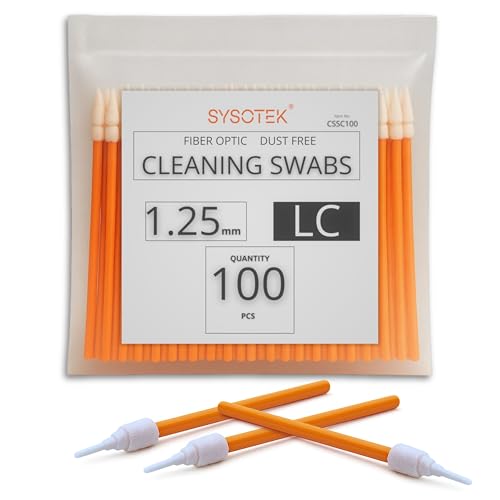
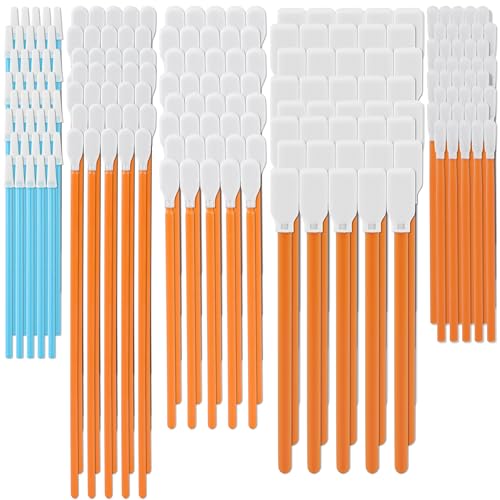
- fiber optic cleaning kit with lint-free swabs
- optical fiber connector cleaner pen
- fiber optic cleaning wipes 99% isopropyl alcohol
- lint-free swabs for fiber optic cables
- fiber optic endface cleaner tool

Before You Start
Plan a clean, dust-free workspace. Wear anti-static precautions if available and handle cables by the connectors, not the fiber. Avoid touching the endfaces with fingers or rough materials. Time estimate: 10–20 minutes for a typical clean and inspection. Critical cautions: never scrub the endface with abrasive materials, never use household cleaners, and never reuse dirty swabs on same connectors.
Step-By-Step: How To Clean Fiber Optic Cables
- Power down equipment and disconnect the fiber link from the active port to prevent signal disturbances.
- Inspect the connector endface with a magnifying tool or inline inspection tool to identify dust, oil, or scratches.
- Use the fiber optic endface cleaner tool to pre-clean the connector ferrule, following manufacturer instructions for loading the connector.
- Wipe the endface using a lint-free swab lightly moistened with fiber optic cleaning wipes 99% isopropyl alcohol. Do not oversaturate.
- For stubborn residues, use a dedicated optical fiber connector cleaner pen to stroke the endface in one direction per the pen’s guidelines.
- Clean the mating surface on the opposite connector with a fresh lint-free swab and a new wipe if needed.
- Re-inspect the endface for any remaining debris or smearing. If present, repeat the cleaning steps with new swabs.
- Reconnect the link and perform a test—check the optical power or transmission to confirm a clean connection.
Troubleshooting
| Symptom | Likely Cause | Fix | Prevention |
|---|---|---|---|
| No signal after reconnect | Dust or oil on endface | Repeat cleaning with fresh materials | Clean both ends before connecting |
| Intermittent connection | Scratched endface | Replace the connector if necessary | Handle connectors carefully; avoid touching endfaces |
| Visible smudges after cleaning | Residue from wipes | Use a new wipe and swab, dry thoroughly | Use manufacturer-recommended products only |
| Low return loss | Contaminated endface | Deep clean with endface cleaner and lint-free swabs | Schedule routine cleaning |
Common Mistakes
- Using household cleaning products on fiber ends
- Reusing dirty swabs or wipes
- Touching the connector endfaces with fingers
- Rubbing aggressively or scrubbing endfaces
Stick to purpose-built tools and materials designed for fiber optics to minimize risk of damage.
Tips For Best Results
- Always work in a clean, dust-free environment and keep containers closed when not in use.
- Pre-clean with the endface cleaner tool before applying wet wipes for best results.
- Inspect after each cleaning pass to confirm a residue-free surface.
- Maintain a spare set of cleaning supplies so you can use fresh materials for each connector.
- Document when each endface was cleaned to track maintenance over time.
Call A Professional
Contact a professional if cleaning does not restore proper signal, if you notice scratches or damaged ferrules, or if you are uncertain about handling high-density fiber links. Stop and consult a technician when there is any risk of compromising network integrity or safety.
FAQ
What is the best cleaner for fiber optic cables?
Use dedicated fiber optic cleaning wipes and a cleaner pen or endface cleaner tool designed for optic connectors.
How often should fiber ends be cleaned?
Clean connections before installation, after suspected contamination, and on a routine maintenance schedule based on usage.
Can I clean multiple ends with the same wipe?
No. Use a fresh wipe or swab for each endface to avoid transferring debris.
Are there signs of damage beyond dirt?
Look for scratches, chips, or coating damage; if any are present, replace the connector or seek professional service.
Buying Guide
When selecting cleaning tools for fiber optics, consider the following factors to balance performance and cost:
- Size and compatibility: Ensure tools fit the connector types used in your system (SC, LC, FC, ST, etc.).
- Noise level: Cleaning products generally operate quietly; choose wipes and pens with minimal residue and no solvents that could affect coatings.
- Energy efficiency: Not a major factor for hand-cleaning tools; prioritize reliability and consumable quality to reduce waste.
- Controls and usability: Look for ergonomically designed pens and easy-to-use endface cleaners that reduce handling mistakes.
- Placement and storage: Keep a dedicated kit in a protective case to prevent contamination and mix-ups.
- Performance under different conditions: If working in tight spaces, choose compact tools and swabs that reach difficult connectors.
- Consumables variety: A kit with lint-free swabs, wipes, and a compatible endface cleaner ensures you can handle most tasks.
- Brand and compatibility: Rely on trusted brands that provide clear instructions and compatible accessories.
Think through your typical work environment—data centers, labs, or field deployments—and pick a cleaning kit that covers the most common connector types and contamination scenarios. A well-chosen kit reduces downtime and extends equipment life.