Dynatraps offer a convenient, maintenance-friendly approach to reducing flying insects. Regular cleaning helps preserve light output, suction efficiency, and trap performance. This guide provides practical, step-by-step instructions tailored for DT series models, with an emphasis on safety and longevity.
Quick Answer
Short version: Unplug the unit, remove the collection cage, clean dust and debris from the trap, wipe the housing, replace worn components if needed, and plug back in. For optimal performance, perform a light cleaning every 1–2 weeks in peak season and a thorough cleaning monthly.
What You’ll Need
- Dynatrap cleaning brush for DT series insect traps
- Dynatrap maintenance kit DT2000 DT600
- Dynatrap UV light bulb replacement for DT series
- Dynatrap carbon filter replacement
- Dynatrap trap cleaning accessory kit


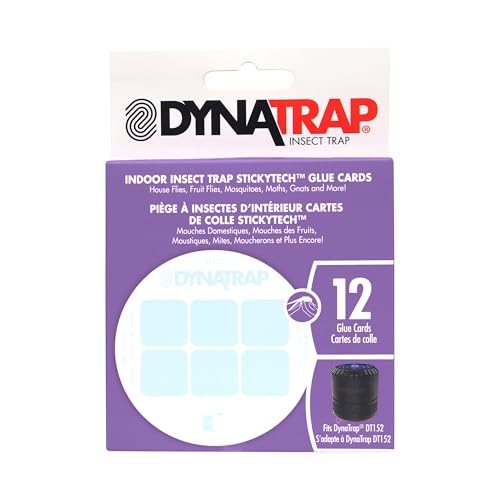
Before You Start
Before cleaning, always unplug the unit and wait for fans and bulbs to stop. Work in a well-ventilated area to avoid inhaling dust. Check the collection cup and fan housing for cracks or damage; replace any worn parts with appropriate replacements from the Dynatrap line. This procedure applies to most DT series models but refer to the user manual for model-specific instructions.
Estimated time: 15–30 minutes depending on buildup. Safety note: do not immerse electrical components in water and avoid using harsh chemicals that could degrade plastic housing. If the unit is very dusty or signs of overheating appear, consider more frequent maintenance.
Step-By-Step: How To Clean Dynatrap Insect Traps
- Disconnect power and locate the collection cage and screened intake area. Remove the collection cup or bag after detaching any fasteners.
- Use the Dynatrap cleaning brush for DT series insect traps to gently loosen trapped debris from the collection cage, metal grill, and surrounding housing.
- Carefully empty and rinse the collection cup if the design allows; otherwise wipe with a damp cloth and ensure it is completely dry before reattachment.
- Inspect the UV light bulb. If the bulb shows dimming, flickering, or appears dirty, replace it using the Dynatrap UV light bulb replacement for DT series.
- Check the carbon filter and replace it with a fresh Dynatrap carbon filter replacement if it appears worn, saturated, or emits odors even after cleaning. This helps maintain odor control and airflow.
- Clean the outer housing with a soft, damp cloth. Avoid abrasive cleaners that could scratch the surface. Ensure the unit is completely dry before reassembling.
- Reinstall the cleaned components in reverse order. Make sure the filter and cage sit securely, and the bulb is properly seated in its socket.
- Reconnect power and run the unit in a safe area. Observe for smooth fan operation and steady light output. If noise remains unusual, power down and recheck parts for proper seating.
- Schedule routine maintenance and log the date in a maintenance notebook or app so you remember the next cleaning interval.
- For models with multiple cleaning accessories, use the Dynatrap trap cleaning accessory kit to extend the interval between full disassemblies by performing targeted cleans at the intake and around the cage.
- If buildup is heavy, perform a second, lighter pass on the interior surfaces to ensure no debris remains in the airflow path.
- Finally, verify that the unit’s fans start quietly and the ultraviolet light turns on without delay.
Troubleshooting
| Symptom | Likely Cause | Fix | Prevention |
|---|---|---|---|
| Unit won’t power on | Disconnected plug or tripped outlet | Check outlet and plug; reset circuit if needed | Keep cords clear and test power source periodically |
| Weak light or no UV light | Old or dirty UV bulb | Replace with a Dynatrap UV light bulb replacement | Replace bulbs on schedule per manual |
| Excessive noise | Loose components or debris in fan | Inspect and reseat parts; clean thoroughly | Clean more frequently during high-use seasons |
| Odor from unit | Clogged carbon filter | Replace carbon filter replacement | Change filters as recommended |
| Reduced trapping efficiency | Dirt buildup in intake or cage | Deep clean with brush and cloth | Establish regular maintenance cadence |
Common Mistakes
- Using water to rinse electrical components
- Forgetting to dry parts completely before reassembly
- Using aggressive cleaners that damage plastics
- Neglecting to replace filters and bulbs on schedule
Tips For Best Results
- Set a maintenance reminder aligned with insect season peaks to keep performance high.
- Keep the unit in a shaded or semi-covered area to reduce dust exposure when not actively cleaning.
- Pair cleaning with seasonal filter and bulb replacements to preserve efficiency.
- When replacing parts, use only Dynatrap-approved replacements to ensure compatibility and warranty coverage.
Call A Professional
Contact a professional if the Dynatrap shows persistent electrical issues, physical damage to the housing, or if bulbs and filters replacements do not restore expected performance. Stop use immediately if there is a strong burning smell, smoke, or unusual heat.
FAQ
How often should I clean my Dynatrap DT2000 DT600?
Regular light cleaning is advised weekly during peak insect seasons, with a thorough clean monthly or as buildup dictates.
Can I wash the Dynatrap components with water?
No, avoid submerging or rinsing electrical parts; use a damp cloth or brush for cleaning and ensure complete dry before reassembly.
When should I replace the UV bulb?
Replace when brightness decreases or after the recommended interval from the manufacturer, using the specific replacement bulb for DT series.
Is it necessary to replace carbon filters?
Yes, replace worn or saturated filters to maintain odor control and airflow efficiency.
What if the unit stops trapping insects after cleaning?
Recheck assembly, ensure the cage and intake are clear, and consider replacing filters or bulbs if they’re aged.
Should I wear protective gear while cleaning?
Basic safety gear is recommended, especially when handling bulbs and filters; wash hands after handling dirty components.
Is professional service required for DT series?
Not usually, but seek professional help if electrical issues persist or there is visible damage to components.
Buying Guide
When choosing Dynatrap accessories and replacements, consider size, noise level, energy efficiency, controls, and placement. For larger spaces, ensure the model and range cover the area effectively, and that replacements such as carbon filters and bulbs match the DT series. Look for a maintenance kit that bundles the essential parts to simplify upkeep. For noise-sensitive areas, verify that the fan operates quietly and that any routine maintenance does not introduce vibrations. Energy-efficient bulbs and appropriately sized units help balance performance with running costs. Consider placement options—indoors, covered patios, or garages—and aim for positions where insects are most likely to enter, while keeping the unit away from flammable materials and direct sunlight.